Question:
I am red/green color blind. In your opinion is this really going to handicap my restoring ability? Maybe I should work with black/white only?
Read More
Adobe Photoshop Retouching Tutorials

Question:
I am red/green color blind. In your opinion is this really going to handicap my restoring ability? Maybe I should work with black/white only?
Your browser does not support the audio element.
PodCast: Download
Running Time: 28 minutes
"I have to tell you that I found it totally inspiring and great! There are so many things in it that I share thoughts and agree with, it was just great listening to you telling the exact same things that are my concerns! So thanks, keep it up! - Erika"
I am so glad that I am stating to find a rhythm for the show, and that it is worth everyone's time. I hope you enjoy the show. It's a long one.
Your browser does not support the audio element.
PodCast: Download
Running Time: 15 minutes
I fixed the link problem, for anyone who noticed.
Welcome everyone, to the second episode of The Art of Retouching's audio podcast. I have been taking notes for 2 weeks, and I am so ready to get going on today's show.
Your browser does not support the audio element.
PodCast: Download
Running Time: 15 minutes
An audio podcast about Adobe Photoshop? Seriously? Yup! Would someone really want to listen to my podcast? Why not? I always have a ton of things to say, this seems to be a better place for most of my random thoughts than the beginning of the tutorials. This way, if your interested on more behind the scenes stuff, then this would be the place to find it.
This video is available Free for Everyone.
Running Time: 9 minutes
This Adobe Photoshop Cloning Tutorial is about the High Pass and Low Pass Frequency Separation method of cloning. We covered many different topics in our Photoshop Extended Cloning Video Tutorial, but we wanted to give you this advanced way to clone, as a sample of the content you can find in the full video.
If you use the Clone Stamp Tool, Healing Brush, or Spot Healing Brush straight onto a layer, you are making an exact clone with little control over the fine details. If you approach your clone with a High Pass Layer for texture, and a Low Pass layer for color and tone, you greatly increase your ability to soften or remove skin blemishes, facial hair, and even pores, without a dreaded repeating pattern.
This
Read More
This video is available Free for Everyone.
Running Time: 8 minutes
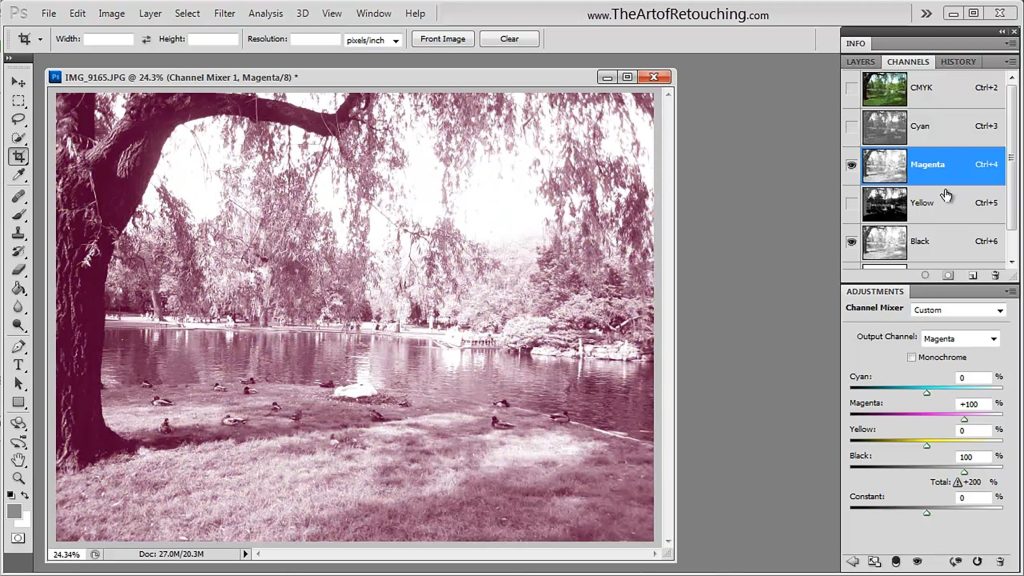
This Adobe Photoshop Tutorial video will show you how to use the Channel Mixer. This is the fourth of four videos about working with channels. We will explain how to use the channel mixer, and when you would want to use it. Before you watch this video, we strongly recommend you watch the previous Adobe Photoshop tutorial about the Color Channel and Alpha Channel, and then you can then follow this one withone about the Spot Channel if you havent seen it yet.
This video is available Free for Everyone.
Running Time: 8 minutes
This Photoshop video tutorial will introduce Alpha Channels. This is the second of four videos about working with channels. We will explain what Alpha Channels are, and how they differ from regular Color Channels. Before you watch this video, we recommend you watch the previous Adobe Photoshop tutorial about Color Channels, and you can then follow this one with Spot Channels, and the Channel Mixer.
This video is available Free for Everyone.
Running Time: 11 minutes
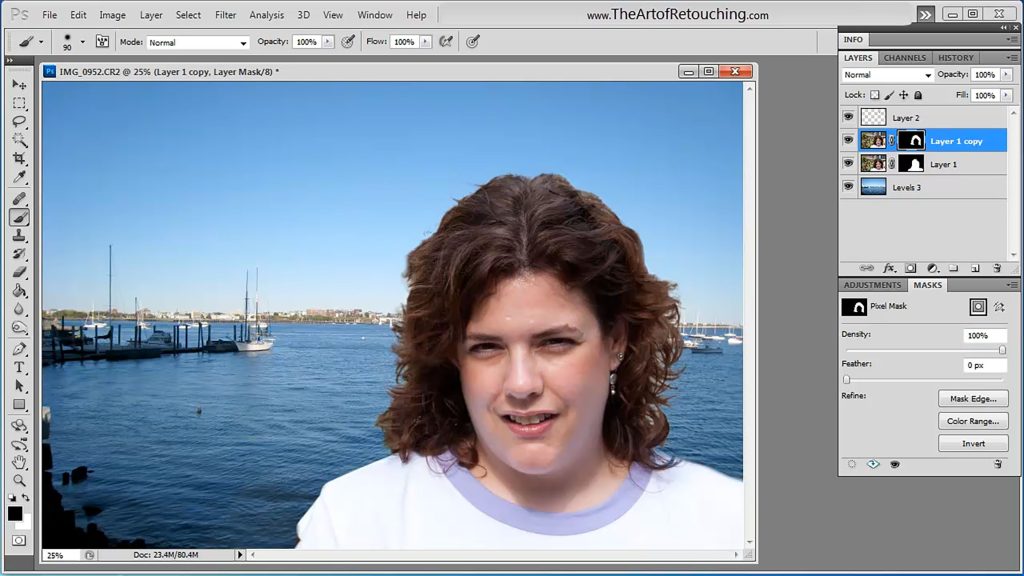
This Photoshop tutorial video is going to cover the Refine Edge Tool. We are going to combine two completely different images into a single photograph. The goal of this video to take you out of your comfort zone, and show you a new way to work.
I have quickly become a huge fan of the Photoshop Refine Edge tool. It's easy to use, nice results, and better than anything else out there for fine masking hair against busy backgrounds. In this example, I use the Refine Edge to extract the hair from a colorful flow background, and place the image onto a blue gradient with near seemless results.
This video is available Free for Everyone.
Running Time: 12 minutes
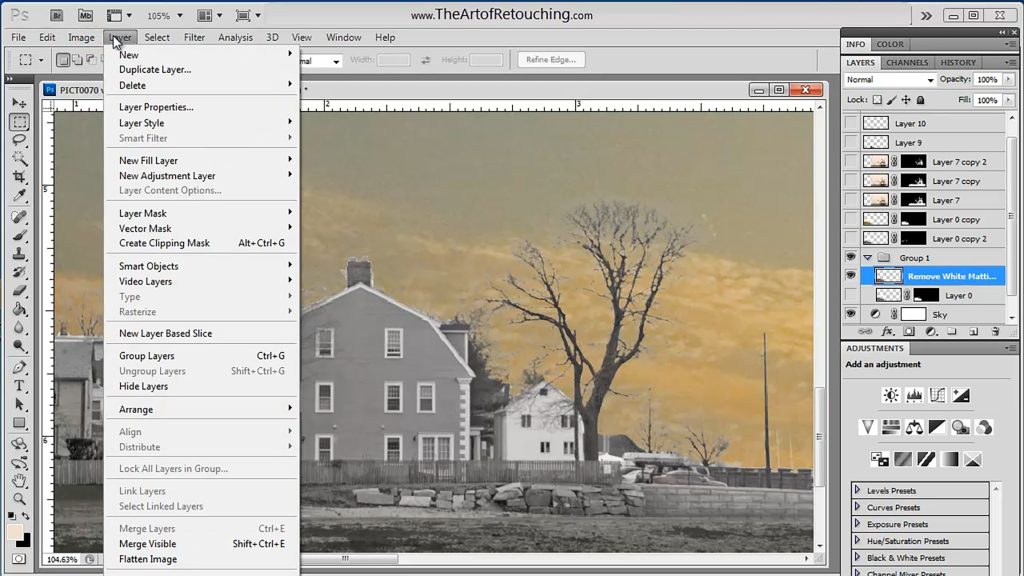
This Photoshop Tutorial video on how to use the Defringe, White Matting and Black Matting Tools. Most images don't really have a need to use these tools, but when they can be used, it's great to know they are there. Halos or Fringe Edges sometimes appear after a selected object has been placed onto a new background. While you should have created the mask using a brush and a QuickMask for a nice tight selection. However, sometimes the object is so intricate, that a manual selection just isn't practical.