


 |
Learn to Create Amazing
Photographs in Just 2 Hours
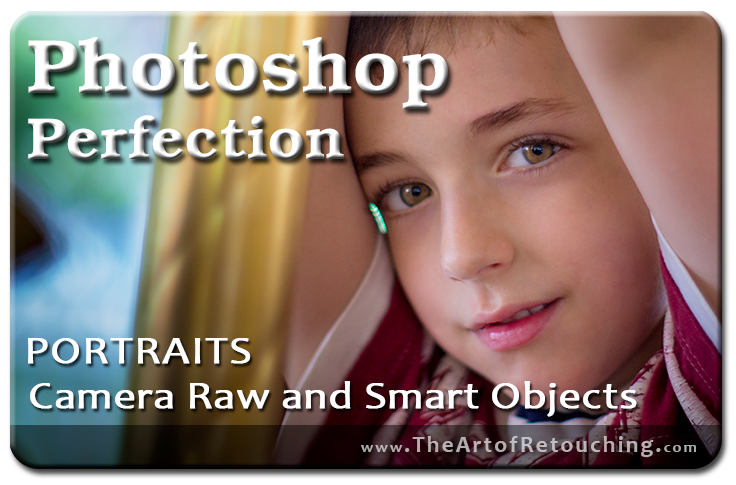
Look, I understand that it’s very easy to become stuck a rut, and to continue doing things the same old way. But what if someone could show you new techniques that not only helped you save time, but also made your images look better than ever—in just 2 hours?
If you’re interested in taking your retouching skills to the next level, then today is the beginning of a new direction, my friend. Using real-world sequencing and repetition, you’ll effortlessly learn how to use RAW images and Smart Objects in this course—and how they can transform your images.
And best of all…
…for a Limited Time, it’s Completely FREE!
I charge for many Photoshop classes available on this website, but one is FREE for a limited time. If you’ve never attended one of my classes before, I’d like to formally extend a FREE invitation for you to experience some of the best Photoshop retouching instruction available anywhere, online or off. No strings attached.
All you’ll need to do is click on the link below, and be on your way to creating professional-looking images using Camera Raw, Smart Objects, and Smart Filters in just 2 hours. But hurry! If you don’t act now, and get started with the course, you will likely forget all about it. If that happens miss out on one of the pivotal moments in your life, and you won’t even realize it.
TESTIMONIALS
 |
"Great course!! The instructor explains everything and makes it super easy to understand. Thanks!!" by Catherine Rogers from Udemy.com |
|
"Very good course, with great tips for Camera Raw. I especially like that author shows how he usually works through the whole process." by Bernarda Letnar from Udemy.com |
|
"Amazing! This online course is simply amazing. I will certainly take John Ross’ online photoshop course!" by Jean Brisebois from Udemy.com |
|
by Alan Taylor from Udemy.com |
|
"Very good course, with great tips for Camera Raw. I especially like that author shows how he usually works through the whole process." by Bernarda Letnar from Udemy.com |
|
by Jorge Tanimoto from Udemy.com |
|
"Nicely done and totally worth it I’d suggest you take up John’s paid course as well as quality is guaranteed for the money you pay." by Jay Mayu from Udemy.com |
|
by Frank Perrino from Udemy.com |
|
"I am new to Photoshop and I was completely impressed by your unique angle and teaching style for this course – I learned a great deal of basics in little time at all." by Dean Philpot from Udemy.com |
|
by Georgina Pérez from Udemy.com |
|
"Very direct and informative." by Rach Meneses from Udemy.com |
|
by Hugo Guerreiro from Udemy.com |
You’ve Got Nothing to Lose!
 |
Maybe you’ve been thinking about “going pro” with your Photoshop retouching, but just don’t know where to begin. Or, perhaps, you’ve been interested in taking one of my other courses, but aren’t sure if my teaching style is a good fit. Whatever the reason, seize the opportunity while you can.
Stop sitting on the fence, and start living your dream! Stop being paranoid about Photoshop, and your images. There is no reason to continue living this way. Click the Sign Up button below, and feel the freedom of taking positive action.
Class Time: 1 Hour 30 Minutes
Cost: FREE
New to The Art of Retouching? Join Today!
Become signed up for FREE access to locked video classes. After signing up, you will be able to access all the PDFs, videos and supplemental files that are scattered around the website that are also locked; including this one!
