The Art of Retouching

Adobe Photoshop Retouching Tutorials

Photoshop Class Schedule
  • About
  • Articles
  • Photoshop Tutorials
    • Behind The Retouching
    • Digital Fundamentals
    • Retouching Basics
    • Retouching Intermediate
    • Retouching Advanced
  • Reviews
  • PodCast
  • Portfolio
  • Profile

Photoshop Tutorial – Portraits and Smart Objects

March 30, 2014 by John Ross

Photoshop Tutorial - Portraits and Smart Objects

Photoshop Tutorial - Portraits and Smart Objects

This video is available Free for Everyone.
Running Time: 14 minutes

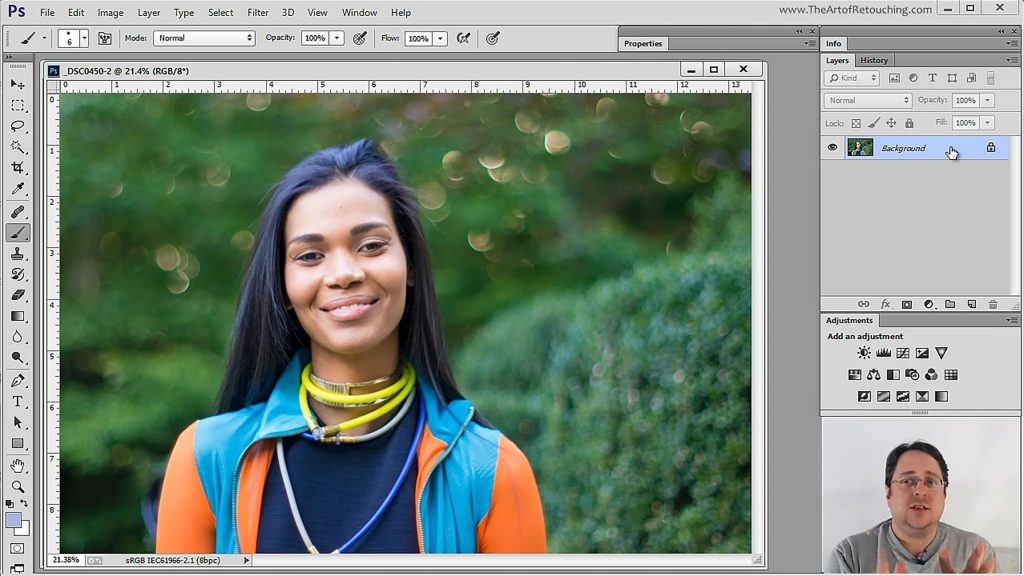
After all of the techniques and tools that we talked about, you are now ready to see all these concepts applied into a single image. This tutorial will show you how to actually retouch a photo using all the knowledge you’ve just acquired, all done in a truely non-destructive workflow.

 
Read More

Filed Under: Retouching Basics

Photoshop Tutorial – Smart Objects Inside Smart Objects

March 23, 2014 by John Ross

Photoshop Tutorial - Smart Objects Inside Smart Objects

Photoshop Tutorial - Smart Objects Inside Smart Objects

This video is available Free for Everyone.

We’ve discussed the wonder of Smart Objects, but it does get confusing for some people, especially for a beginner. This tutorial will teach you workarounds when it comes to working with Smart Objects, and will get rid of your fear of meddling with these seemingly tricky situations.

 
Read More

Filed Under: Retouching Basics

Photoshop Tutorial – Smart Objects and Smart Filters

March 16, 2014 by John Ross

Photoshop Tutorial - Smart Objects and Smart Filters

Photoshop Tutorial - Smart Objects and Smart Filters

This video is available Free for Everyone.
Running Time: 10 minutes

This session will tell you all about the magic of Smart Objects and Smart Filters. For any retoucher, it’s important to develop a non-destructive workflow. Smart Objects and Smart Filters will give you the ability to go back and forth between your actions without permanently damaging your photo.

For example, after many hours of work, I had 7 images needed to be blown up approximately 170%. The client failed to mention that part. Instead of having to blow up pixel data, or start over again; I was able to simply go back to Camera Raw, and output the images blown up (which were way sharper than Photoshop’s pixel data). Simply dragging over the existing Adjustment Layers, Masks, and Smart Filters; I was able to give the sharpest image possible, without much trouble.

 
Read More

Filed Under: Retouching Basics

Camera Raw Tutorial – Output Options

March 2, 2014 by John Ross

Camera Raw Tutorial - Output Options

Camera Raw Tutorial - Output Options

This video is available Free for Everyone.
Running Time: 10 minutes

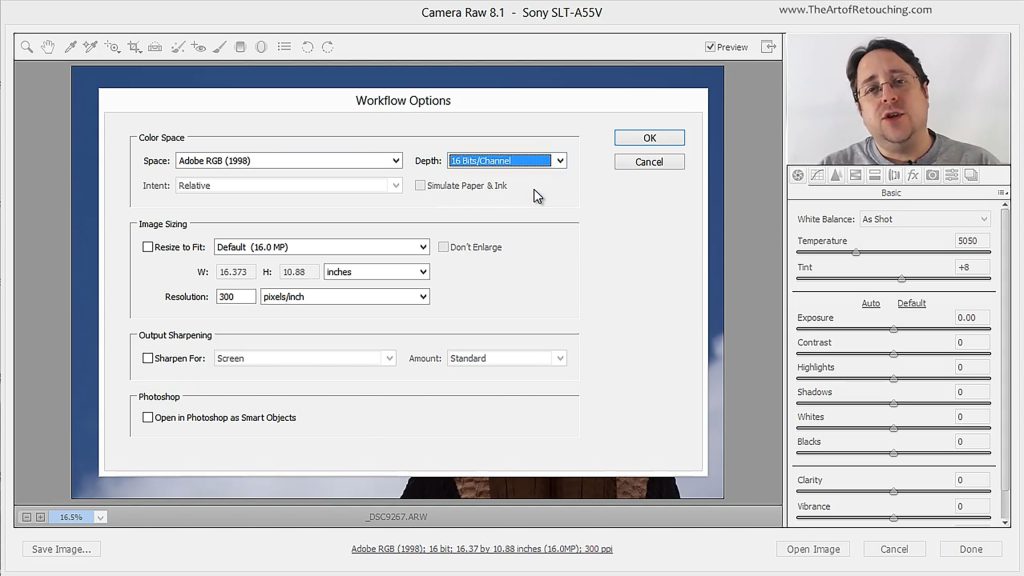
Because of all the fancy tools that Camera Raw comes packed with, it’s easy to overlook certain settings that are actually very important. This tutorial will briefly go over the significance of knowing how Camera Raw exports images to Photoshop. Determining your output options will make the work that you do, whether it’s for printing or for magazines or simply for web display, much more convenient.

Below your image in Camera Raw, you will see a line of blue text that tells you specific details about your picture. Clicking on this blue text opens up the “Workflow Options” dialog box, where you can set up your color profile, bit depth, image size, etc.

 
Read More

Filed Under: Retouching Basics

Camera Raw Tutorial – Local Adjustments

February 23, 2014 by John Ross

Camera Raw Tutorial - Local Adjustments

Camera Raw Tutorial - Local Adjustments

This video is available Free for Everyone.
Running Time: 16 minutes

This Photoshop tutorial teaches you how to isolate certain areas of a photo using Local Adjustments in Camera Raw. Does one cheek of your model look a little too flushed? Is a particular part of the leg covered in unnecessary shadows? You can make your changes specifically to that section alone, without affecting the other areas of your image.

 
Read More

Filed Under: Retouching Basics

Camera Raw Tutorial – Open Image vs Open Object

February 17, 2014 by John Ross

Camera Raw Tutorial - Open Image vs Open Object

Camera Raw Tutorial - Open Image vs Open Object

This video is available Free for Everyone.
Running Time: 4 minutes

This Photoshop Tutorial teaches you the difference between opening up a raw file from Camera Raw as “Open Image” or as “Open Object”. While the former opens up your image as it is, the latter lets you make changes on your raw files , even after you have started working in Photoshop.

It does this by opening up your images as Smart Objects. Even if you do not fully use the power of Smart Objects, this tutorial will show you how, even in the simplest method possible, it will easily change the way you work on your images in Photoshop.

 
Read More

Filed Under: Retouching Basics

Basic 2: Portrait Retouching Class

February 13, 2014 by John Ross

Portrait Retouching

Adobe Photoshop Basic 2 Class

 
Read More

Filed Under: Basic 2, Classes

Basic 2: Color Correction Settings Class

February 13, 2014 by John Ross

Color Correction - Settings and Profiles

Adobe Photoshop Basic 2 Class

 
Read More

Filed Under: Basic 2, Classes

Basic 2: Damage Control Class

February 13, 2014 by John Ross

Damage Control

Adobe Photoshop Basic 2 Class

 
Read More

Filed Under: Basic 2, Classes

Basic 2: Beyond Cloning Class

February 13, 2014 by John Ross

Beyond Cloning

Adobe Photoshop Basic 2 Class

 
Read More

Filed Under: Basic 2, Classes

« Previous Page
Next Page »

Member Login

Email:
Password:
Remember   

Forgot Password

Basic Membership

FREE MEMBERSHIP Free Photoshop Basic Class Portraits, Camera Raw and Smart Objects Free Photoshop Class Portraits, Camera Raw and Smart Objects Free Photoshop Class BASIC MEMBERSHIP Photoshop Tools and Palettes Tutorial How to Clone in Photoshop Tutorial Masking Simplified Complete Smart Objects Photoshop Class PREMIUM MEMBERSHIP Learn Photoshop Basic One Course Video Learn Photoshop Basic Two Course Video Learn Photoshop Intermediate Course Video

Popular Videos

Bit Depth - 8 vs 16 Bit

Masking in Photoshop

All Photoshop Tutorials

Color Spaces and Models

Find Retouching Work

Photoshop Classes

Portraits, Raw, and Smart Objects

Retouching Super Basics

Photoshop Basic One Course

Professional Masking

Social Links

  • About
  • Premium Content
  • Photoshop Courses
  • Contact Form
  • Membership Profile
  • FAQ – Q&A
  • Privacy Policy
  • No-Hassle Refund
  • SiteMap
© 2024 The Art of Retouching Studio - Photoshop Retouching Tutorials